Loom Mobile Editor Redesign
Improving precision, fluidity, and AI‑assisted editing for mobile creators
Loom makes it easy to record quick videos, but refining those recordings on mobile often feels limited and imprecise. This project explores a complete redesign of Loom’s mobile video editing flow, focusing on multi‑clip editing, timeline precision, motion‑guided interactions, and AI‑powered assistance. The goal is to help creators edit faster, communicate more clearly, and feel confident refining their message directly on mobile.
Problem framing
Loom’s mobile app excels at fast recording, but its editing experience does not meet the expectations of modern creators. Users frequently need to trim mistakes, remove pauses, adjust pacing, and manage multiple clips before sharing, yet the current mobile editor offers limited control over these essential tasks. Trimming lacks precision, multi‑clip editing feels constrained, and audio adjustments provide minimal feedback. As a result, editing becomes a bottleneck rather than a natural continuation of recording.
User feedback highlights recurring frustrations around timeline clarity and editing flexibility. Competing tools such as CapCut and TikTok have raised the bar for mobile editing through fluid gestures, motion feedback, and AI‑assisted cleanup, making Loom’s editing flow feel outdated by comparison. For a product centered on fast, clear communication, the mobile editor represents a critical opportunity to reduce friction and improve shareability.
Research insights
To understand these challenges more deeply, I reviewed App Store feedback, Reddit discussions, and competitive mobile editors including CapCut, TikTok, and Instagram Reels. Across these sources, several consistent themes emerged.
Users often describe trimming as imprecise, especially when removing small mistakes or tightening pacing. The timeline provides limited visual feedback, making it difficult to understand where edits begin and end. Managing multiple clips requires extra steps, and the lack of motion cues makes reordering or splitting clips feel rigid. Audio controls are minimal, with no waveform visualization to guide volume or silence adjustments.
In contrast, leading mobile editors rely heavily on motion‑guided interactions and AI‑powered tools to simplify complex editing tasks. These products make trimming, reordering, and cleanup feel responsive and intuitive, even on small screens. From this research, three insights shaped the redesign: creators need clearer timeline feedback for precision, multi‑clip editing must feel faster and more fluid, and AI can meaningfully reduce repetitive cleanup work without removing user control.
UX strategy
The redesigned mobile editing flow is guided by three core principles: precision, fluidity, and intelligent assistance. Together, these principles aim to help creators refine their recordings quickly and confidently while maintaining focus on their message.
Precision is achieved through a clearer, more responsive timeline that supports fine‑grained trimming and visual feedback. Fluidity ensures that editing actions feel natural on mobile, using gestures and motion to communicate cause and effect. Intelligent assistance introduces AI‑powered tools that reduce repetitive tasks such as silence removal or filler cleanup, while always keeping the user in control.
These principles balance user needs with Loom’s business goals of increasing engagement, retention, and shareability. The result is an editing experience that feels faster, clearer, and aligned with the expectations of modern mobile creators.
Interaction design
The redesigned editing flow begins immediately after recording, guiding users seamlessly from capture to refinement. When recording ends, the video collapses into a simplified timeline preview that animates into place at the bottom of the screen. This transition establishes spatial continuity and helps users understand where their content lives within the editor.
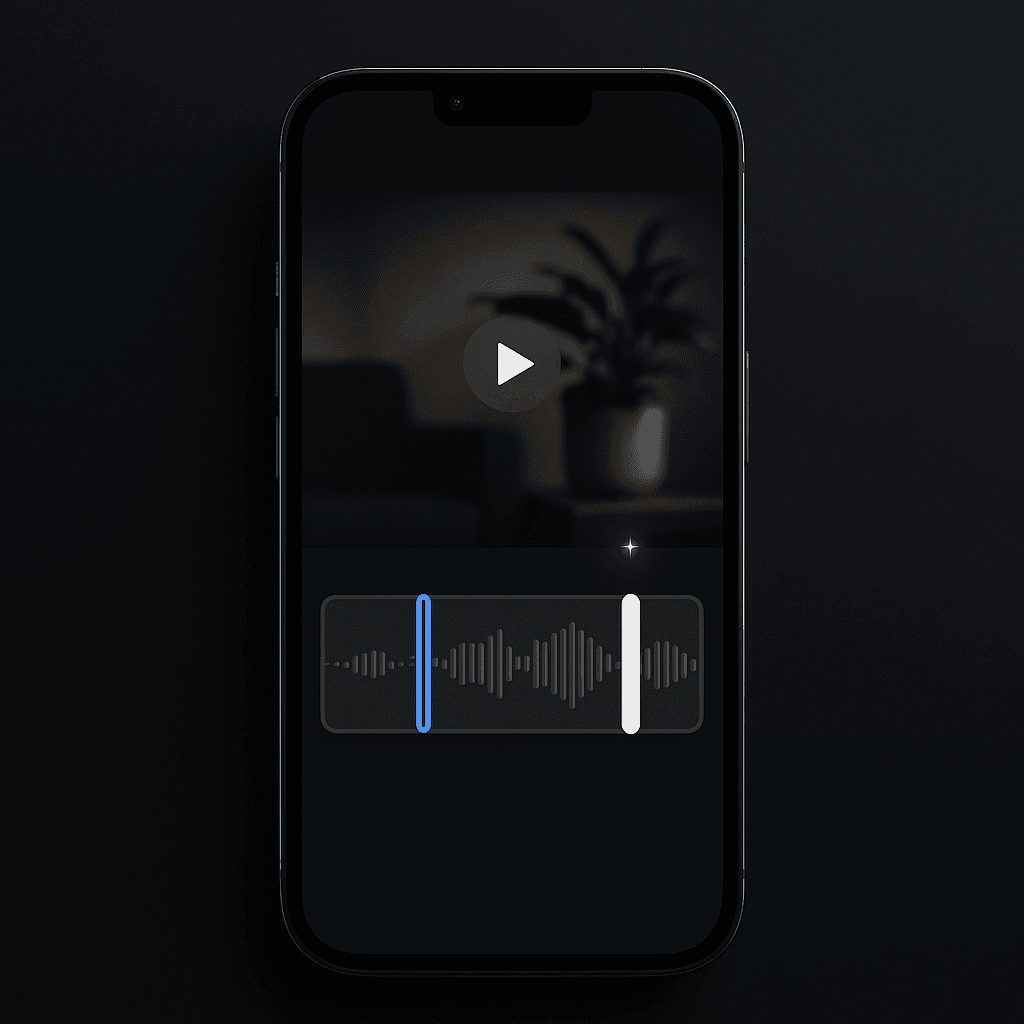
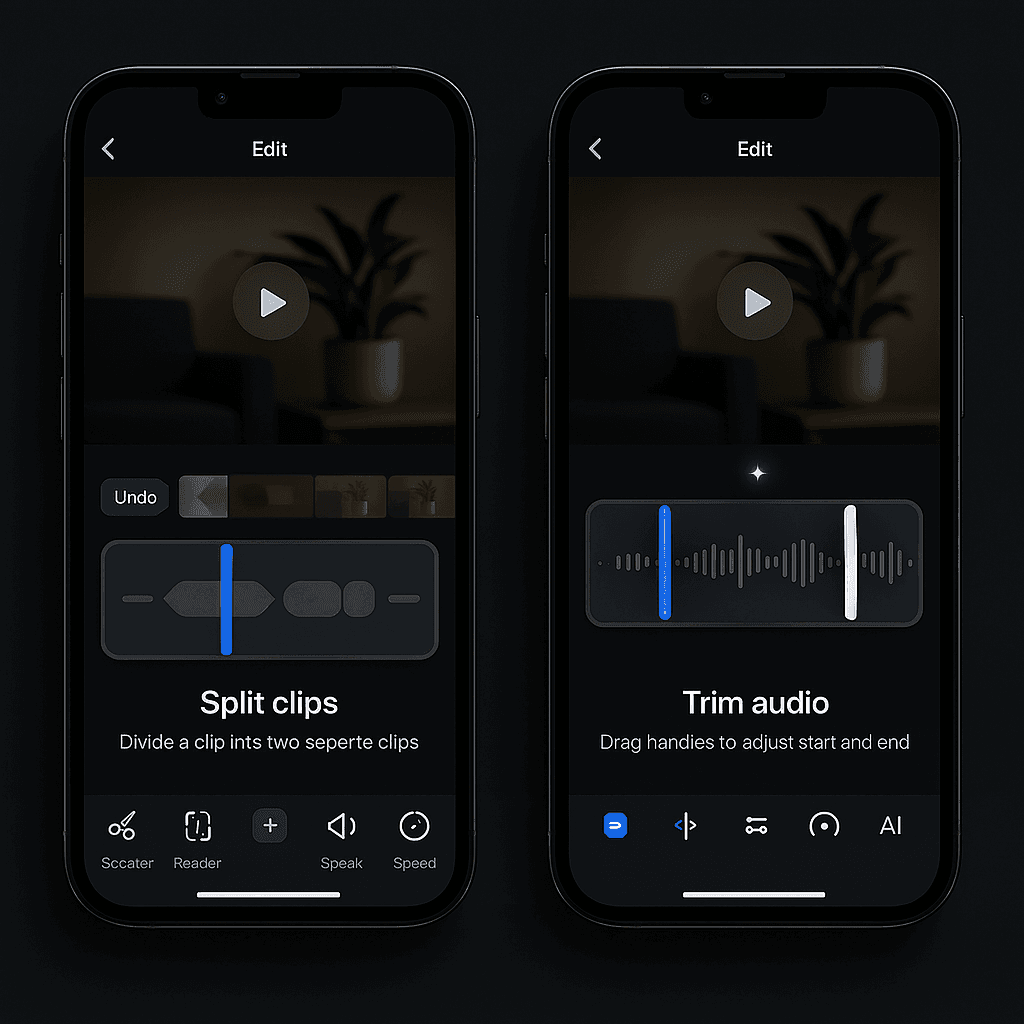
The core interaction model centers on a more expressive timeline. Trimming handles are easier to grab and supported by snap‑to‑cut points and a zoomable view for precise adjustments. Multi‑clip editing introduces intuitive gestures: dragging clips to reorder them, long‑pressing to split, and swiping to remove. Each action is reinforced with motion cues that make outcomes predictable and easy to understand.
Audio controls are integrated directly into the timeline through waveform overlays, while speed adjustments and advanced tools appear contextually when needed. AI‑powered suggestions surface at relevant moments, offering cleanup or enhancement options without interrupting manual editing. Together, these interactions create a mobile editing experience that feels fluid, confident, and purpose‑built for video communication.
Visual design
The visual direction of the redesigned mobile editor prioritizes clarity, hierarchy, and focus. Editing on a small screen requires reducing visual noise while guiding attention toward the timeline, active clip, and primary actions. The interface uses a restrained color palette and intentional spacing to keep the video content central, while interactive elements are clearly distinguished through contrast and state changes.
Neutral background tones allow clips, waveforms, and motion cues to stand out without distraction. Accent colors are used sparingly to highlight trimming handles, selected clips, and AI suggestions, helping users quickly understand what is editable and what is currently active. Typography is clean and legible, with clear weight hierarchy to support scanning and reduce cognitive load during editing.
The timeline receives the most visual emphasis. Clips are displayed with clear boundaries, subtle depth, and responsive states that communicate their relationship to one another. Waveform overlays add structure to audio editing, making pauses and emphasis immediately visible. Tool panels are modular and contextual, appearing only when needed and receding to keep the editing canvas uncluttered. The overall visual system supports precision without feeling heavy or technical.
Motion design
Motion is used as a functional layer throughout the editing experience, reinforcing clarity and guiding user actions. Transitions, gestures, and state changes are designed to communicate cause and effect, helping users understand how their input affects the timeline.
The transition from recording to editing establishes spatial continuity by collapsing the recorded video into the timeline. This animation anchors the content in its new context and signals the shift from capture to refinement. Within the editor, trimming handles expand slightly on touch, clips lift when reordered, and surrounding elements respond dynamically to movement. These micro‑interactions make editing feel tactile and predictable.
Motion also supports decision‑making. Snap‑to‑cut points animate subtly as users approach meaningful moments, while waveform and speed previews respond in real time to adjustments. AI suggestions appear with gentle motion cues that draw attention without interrupting the workflow. Across the experience, motion reinforces structure, reduces uncertainty, and makes complex editing tasks feel approachable on mobile.
Video editing UX
The redesigned editor focuses on making core editing tasks faster and more intuitive while preserving precision. Trimming is enhanced through a zoomable timeline, larger hit areas, and snap‑to‑cut points that align edits with natural pauses or transitions. These improvements reduce repeated adjustments and increase confidence in each edit.
Multi‑clip editing is gesture‑driven and fluid. Users can add clips directly from the timeline, reorder them with a simple drag, split clips using a long‑press gesture, and merge clips through clear visual previews. Each action is supported by motion feedback that communicates the outcome before it is finalized.
Audio editing is integrated directly into the timeline through waveform visualization, allowing users to identify volume changes and silence at a glance. Speed adjustments are handled through a dedicated panel with motion previews that show how pacing changes affect playback. Together, these tools create an editing experience that feels powerful without being overwhelming, supporting both quick cleanups and more deliberate refinement.
GenAI features
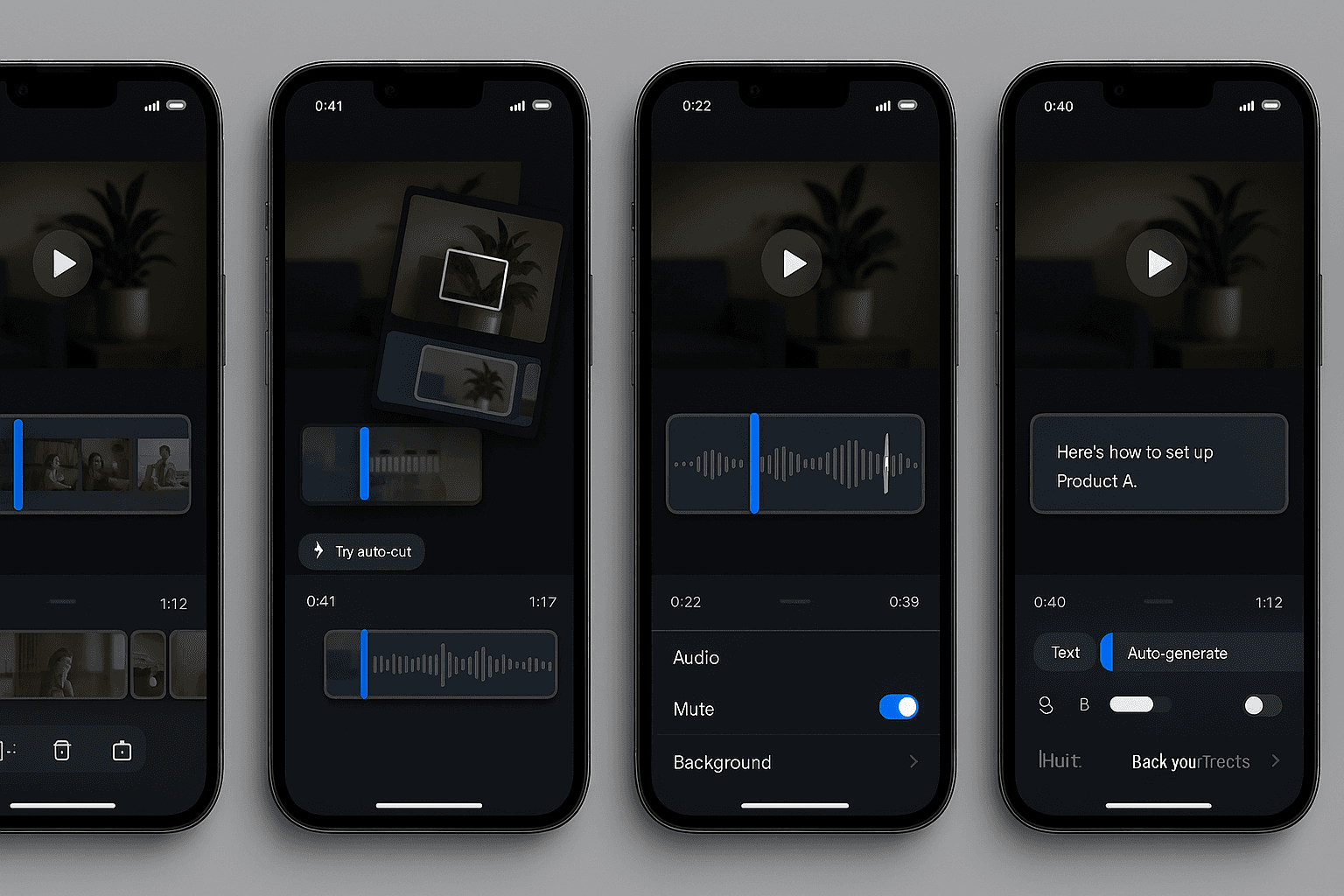
AI‑powered tools are designed to reduce repetitive work while keeping users in control of their edits. Auto‑cut analyzes recordings to identify filler words and unnecessary pauses, offering a one‑tap cleanup with a preview of proposed changes. Silence removal highlights detected gaps in speech and allows users to accept or refine suggested trims directly on the timeline.
Automatic captions improve accessibility and clarity by generating editable text aligned with the video. Captions can be corrected or adjusted without leaving the editor, making them a natural part of the workflow. Highlight suggestions analyze tone and emphasis to surface moments that may be worth emphasizing or sharing independently.
These features are presented contextually and unobtrusively, supporting the editing process rather than interrupting it. The result is a balanced experience that combines automation with manual control, helping creators produce polished videos more efficiently.
Final designs
The final designs bring together interaction, visual, motion, and AI systems into a cohesive mobile editing experience. The timeline serves as the central workspace, supported by responsive controls, clear visual hierarchy, and motion‑guided feedback. Each screen is structured to minimize friction and keep creators focused on refining their message.
Multi‑clip workflows, audio controls, and speed adjustments are integrated seamlessly into the editing canvas, while AI suggestions appear as subtle markers and prompts along the timeline. Before‑and‑after comparisons highlight improvements in clarity, pacing, and usability. The overall design feels modern, lightweight, and aligned with the expectations of today’s mobile creators.
Impact
The redesigned mobile editor significantly improves the speed, clarity, and confidence of the editing experience. Enhanced timeline precision and gesture‑driven interactions reduce friction for common tasks such as trimming and reordering clips. AI‑powered cleanup tools shorten editing time and lower the barrier to producing high‑quality videos.
For creators, the new experience makes it easier to refine ideas and communicate clearly without leaving mobile. For Loom, the redesign increases engagement and competitiveness by transforming the editor from a basic utility into a powerful, modern creation tool. The result is a mobile editing experience that better supports Loom’s mission of fast, effective communication.